CompleteView 20/20 HTML5 Web Client Guide Follow

Logging In
- In any web browser, navigate to http://vmsproxy.ad.uky.edu:4502.
- Enter login credentials according to your account type. (See Below)
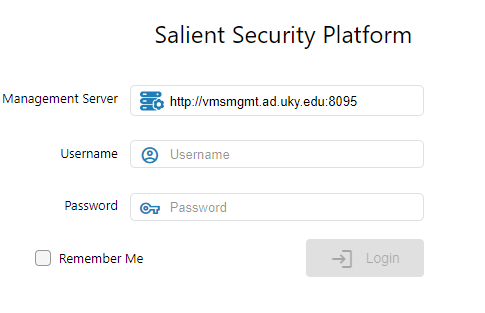
Active Directory (Campus)
Management Server: http://vmsmgmt.ad.uky.edu:8095
Username: ad.uky.edu\linkblue
Password: linkblue password
Local (MedCenter)
Management Server: http://vmsmgmt.ad.uky.edu:8095
Username: linkblue
Password: Campus Access provided
________________________________________________________________________________________
Live View
- To view live footage, click LIVE VIEW at the top of the Web Client.
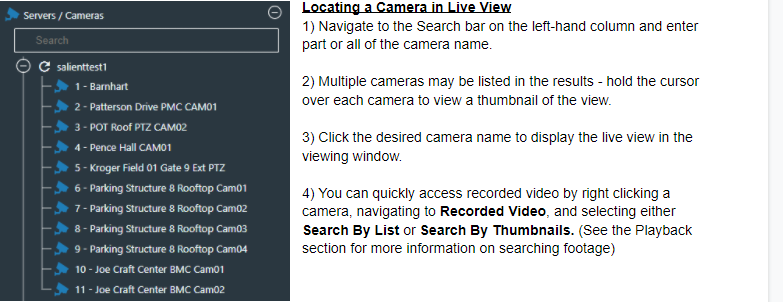
Locating a Camera in Live View
- Navigate to the Search bar on the left-hand column and enter part or all of the camera name.
________________________________________________________________________________________
Pre-made Views
Pre-made views for frequently used areas of campus are accessible by expanding the Views tab on the left-hand column.
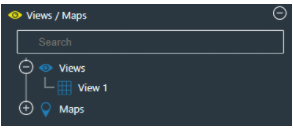
- Click the small + to expand the views tab on the left-hand column.
- Pre-made views for your building will populate underneath.
- Click the desired view.
- Double click any of the cameras to bring them to full screen and double click again to go back to the previous pre-made view.
- If your department would like to establish a view of certain frequently-used cameras, please send a request with the specific camera names to campusaccess@uky.edu.
________________________________________________________________________________________
Playback 
- Video can be searched in multiple ways.
- This will bring up a menu. Navigate to Recorded Video, and select either Search By List or Search By Thumbnails.
- Right-clicking a camera in Live View.
- Clicking Playback at the top of the Web Client.
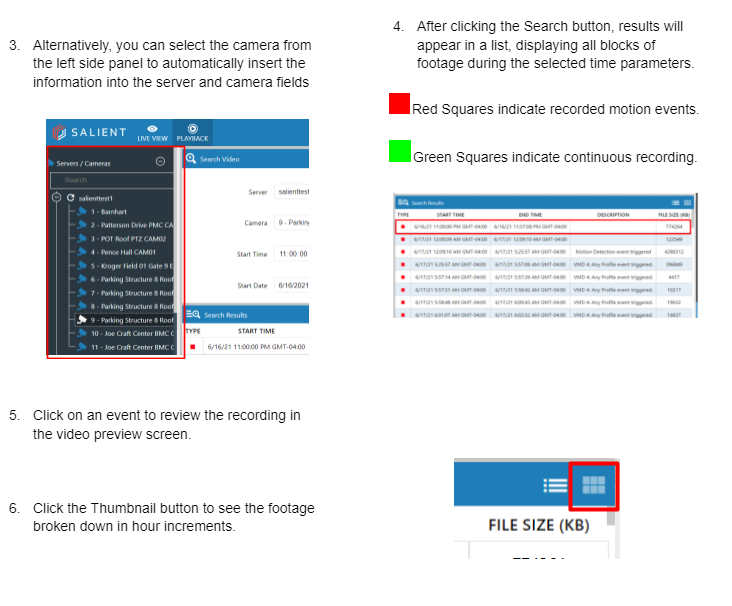
2. Search Video by entering the required information. This will include:
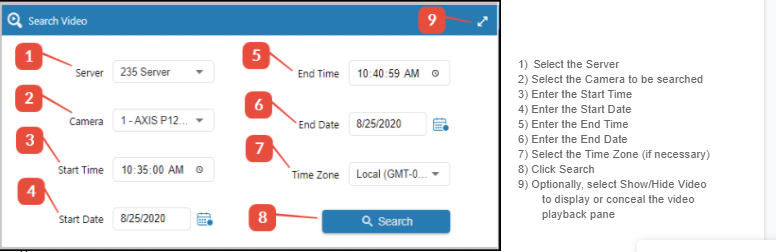
Video footage is retained for 30 days. Attempts to view footage beyond that time frame will result in an error in the system.
If you have any questions about the functionality of this web client, please contact us at campusacces@uky.edu
Comments
0 comments
Please sign in to leave a comment.